Made for iPhone & iPad
Native SwiftUI app — fast, fluid, and built for touch. Works great on the latest iPhone and iPad.
Turn your story into a fully illustrated comic — right from your iPhone or iPad. Consistent characters, 12 art styles, no drawing required.
Every feature you love on the web, packed into a native iOS app.
Native SwiftUI app — fast, fluid, and built for touch. Works great on the latest iPhone and iPad.
Generate dialogue in any of 20 languages, from Spanish and Japanese to Hindi and Filipino. The app itself is in 10 languages.
One-tap sign-in. Your work syncs with the web app, so you can start on iPhone and finish on desktop.
Built-in flipbook reader, instant PDF export, and one-tap share to Messages, Mail, or your camera roll.
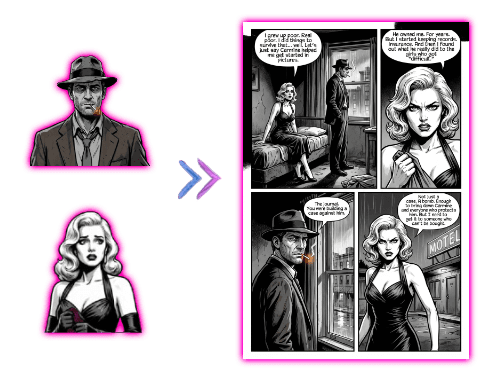
Your hero looks the same across every panel, page, and issue. Train a character once, reuse forever.
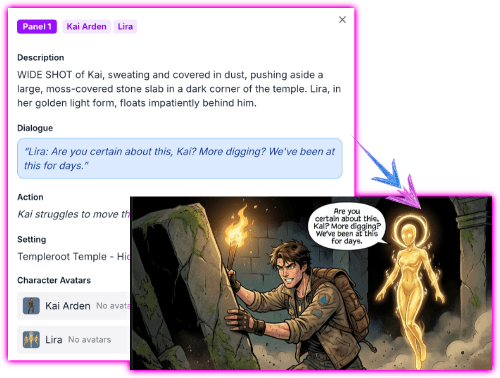
Describe a scene in plain English. Get a fully drawn, lettered comic page back in minutes.
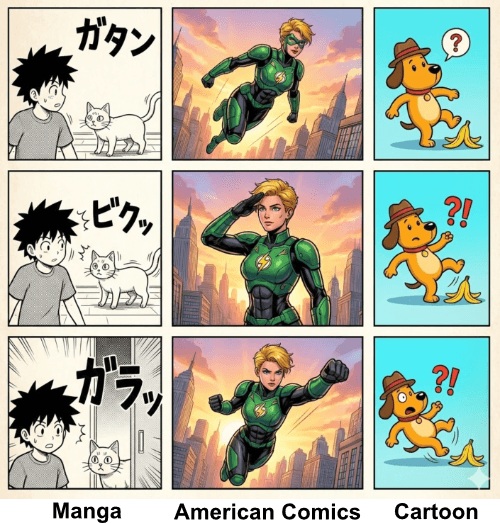
Manga, manhwa, American comics, watercolor, vintage/retro, pixel art and more — pick a style per series.
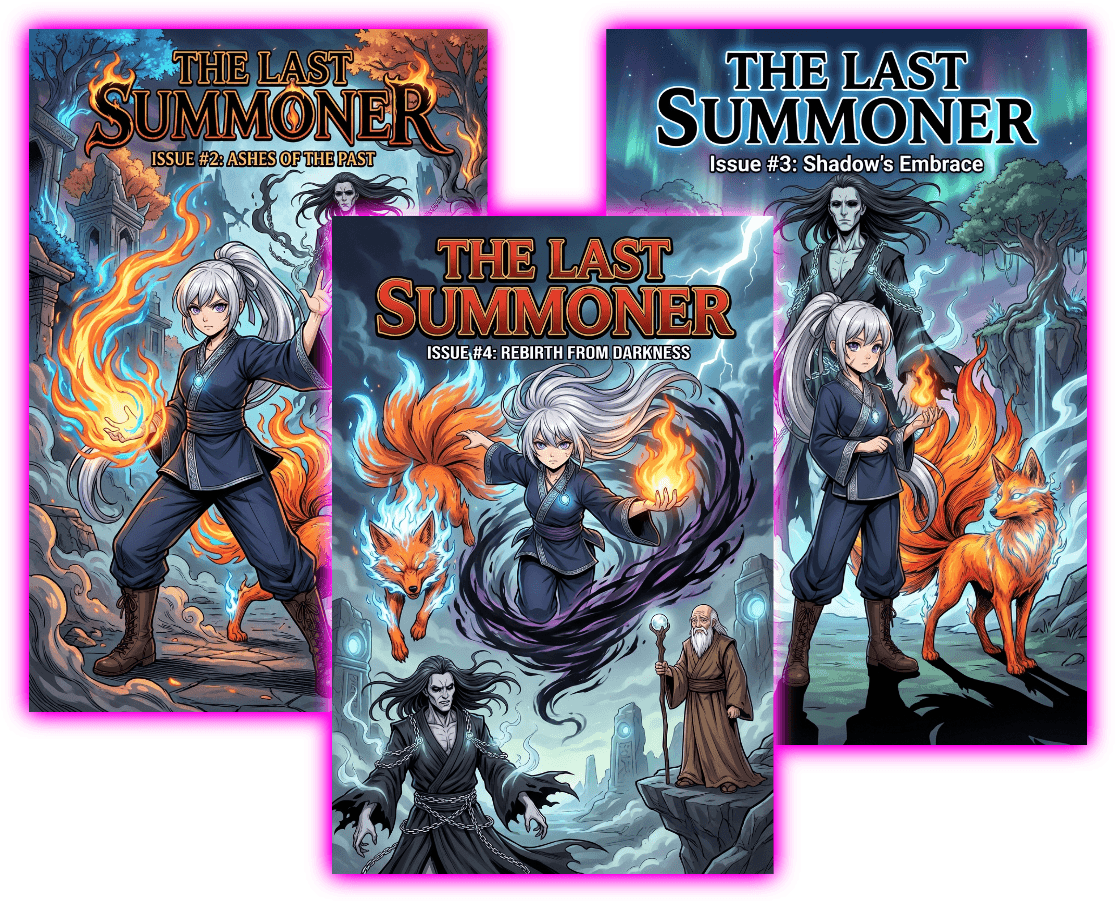
Build a world, write story arcs, and ship issue after issue. Characters and lore stay consistent across the run.
Type a story idea or pick a template. The AI drafts a script you can edit.
Choose from manga, manhwa, American comic, watercolor, and more. Lock in your characters.
The AI illustrates each page. Read in the flipbook, export to PDF, or share to Messages.
Yes — the app is free to download, and a free account comes with 100 credits so you can make your first comic without paying. Credits are pay-as-you-go through the App Store after that, with the same packs available on the web.
iPhone and iPad running iOS 17 or later. The app is universal — buy credits once, use them on any device signed into your Apple ID.
Yes. Sign in with Apple, Google, or email and your comics, characters, and credits are shared between the iPhone, iPad, and the comicink.ai web app.
Yes — every issue can be exported to a print-ready PDF directly from the app, or shared as images to Messages, Mail, or your camera roll.
No drawing required. You write the story; the AI handles the art. Pick a style, describe a scene, and the app generates the page.
Free to download. 100 free credits when you create your account.