Free AI Manga Generator
Describe a story and get black-and-white manga pages: screentones, speed lines, the same characters on every page, and dialogue in Japanese or any of 22 languages. No drawing and no credit card — new accounts start with 100 free credits.
Free account • No credit card • 100 credits to start
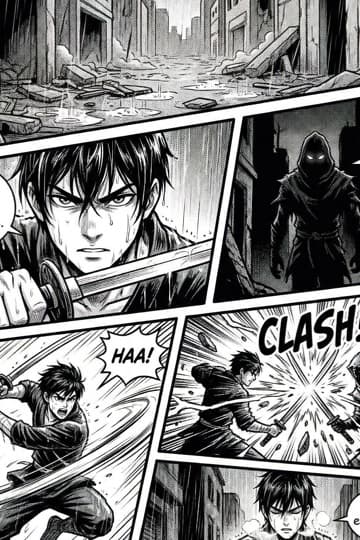
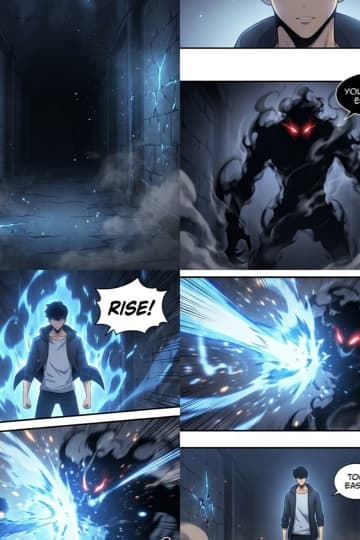
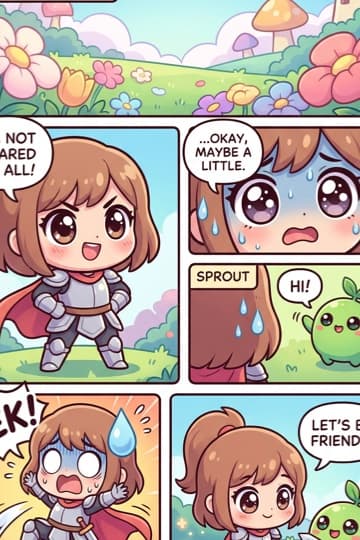
What ComicInk is, what is free, and what it costs
ComicInk's AI manga generator draws black-and-white manga pages — clean ink lines with screentones, cross-hatching, speed lines and varied cinematic panel angles — from a story you describe. Pick the manga page size (5 × 7.5 in), write in Japanese or any of 22 languages, and export as PDF or JPG/PNG.
| Free to start | Every new account gets 100 credits once, with no credit card. They never expire and do not refresh monthly. |
|---|---|
| First renders | Your first two page or cover renders are not charged. |
| Per image | A page, panel or cover costs 50 credits; a character, asset or world image costs 10. |
| Plans and packs | ComicInk Basic is $9.99 a month for 1,500 credits and ComicInk Plus is $19.99 a month for 4,500. One-off credit packs are also sold. |
| Art styles | Twelve: American Comics, Manga, Manhwa, European BD, Cartoon, Realistic, Noir, Watercolor, Digital Art, Vintage/Retro, Chibi and Pixel Art. |
| Languages | Comics can be generated in 22 languages; the app itself runs in 10. |
| Length | An issue runs 4 to 36 pages, with up to 6 panels per page when you import your own script. |
| Page sizes | Standard US comic, manga (5 × 7.5 in), graphic novel, or 9:16 webcomic. |
| Export | PDF, or a ZIP of JPG/PNG images, at web or print quality; or publish to a shareable reader link. |
| Character consistency | Each character's reference images are attached to every page prompt, together with a written description of their look. It keeps a cast recognisable; it is a mechanism, not a guarantee. |
| Account | A free account is required to generate. Reading the gallery and downloading the printable templates need no account. |
Comparing tools? Our roundup lists each generator's free tier and entry price as read from the vendors' own pages: Best AI comic generators 2026, pricing compared · full pricing
Manga made with the AI manga generator
Real manga that ComicInk users wrote and published. Open any one to read it in the flipbook.


From text to manga: one real example
A real manga made with ComicInk: the exact prompt that was typed, the script the AI wrote from it, and the page it drew. Nothing was drawn by hand.
1 · The prompt
Write a 6-page cozy, heartfelt slice-of-life comic set in Tokyo. Hiro, a gentle ramen chef in his 70s, runs a tiny shop under the train tracks and is closing it for good tonight. At midnight Aiko, a rain-soaked high-school girl having the worst day of her life, wanders in. He cooks her the very last bowl and, while she eats, tells her about the first bowl he ever made — for his late wife Mei, shown in a warm flashback. Aiko leaves with his handwritten recipe. Final page: years later, Aiko reopens the shop with the same lanterns, and a tired stranger walks in from the rain. Keep the cast small: Hiro, Aiko, and Mei in the flashback. Use natural short dialogue, quiet and emotional pacing, and 4–5 panels per page.
2 · The script the AI wrote for page 1
- Panel 1: Wide shot: a narrow ramen shop under a concrete train trestle, rain pouring, red paper lanterns. Caption: “Tokyo. Midnight. The last night.”
- Panel 2: Inside, Hiro — 70s, white hair, worn apron — reaches up and switches off the last paper lantern.
- Panel 3: Close-up on Hiro’s weathered hand resting flat on the wooden counter beside the noodles and ladle.
- Panel 4: Hiro at the half-open door with his keys, looking out at the rain. Hiro: “Forty-three years…”
- Panel 5: Hiro’s point of view: at the end of the alley, a soaked schoolgirl — Aiko — stands motionless in the rain.
The AI also designed the cast and kept Hiro and Aiko looking the same on all six pages. Every panel and line can be edited before a page is drawn.
3 · The finished page

How the AI manga generator works
Four steps from a story idea to manga pages you can read, export or sell.
- Describe the story
Type a premise or paste a script, choose the Manga style and the language for the dialogue, Japanese included.
- Review the script
The AI writes a panel-by-panel script. Change the panels per page and the dialogue before any art is drawn.
- Generate the pages
Every page is drawn in black-and-white ink with screentones, with your characters' reference images attached. Your first two renders are free; after that a page costs 50 credits.
- Export or publish
Choose the manga page size, download a PDF or a ZIP of JPG/PNG, or publish to a shareable reader link and sell chapters through a Creator Store.
One manga style, every manga genre
ComicInk has one Manga art style — black-and-white ink with screentones — plus Manhwa and Chibi for colour and comedy. What changes between a shonen battle and a shojo romance is the script: pacing, panel angles and expression, which you direct in the story and can edit before any page is drawn.
Shonen Action
Bold lines, speed effects, and dramatic poses for battle-driven stories
Shojo Romance
Soft tones, floral backgrounds, and expressive eyes for emotional narratives
Seinen Detailed
High-detail realistic manga art for mature, complex stories
Chibi & Comedy
Exaggerated proportions and playful expressions for humor-driven manga
Mecha & Sci-Fi
Technical precision for robots, spacecraft, and futuristic cityscapes
Horror & Dark
Heavy inking, unsettling compositions, and atmospheric tension
Consistent Anime Characters
Manga lives and dies on its characters. You define each one — hairstyle, eye colour, outfit — and generate their reference images. Those references are attached to every page prompt, along with a written description of their look, so the cast stays recognisable from chapter 1 to chapter 40.
Detailed visual profiles with structured attributes for anime characters
Reference images generated once and reused across all pages
Up to five looks per character for outfit changes
A written visual signature added to every page prompt
Up to 100 characters per comic
Multi-Language Manga Dialogue
Create manga in Japanese, English, Korean, Spanish, French and 17 more languages — 22 in all. Set the language for a series or a single issue, and the generated speech bubbles are lettered in it. A finished page can also be translated into another language for 50 credits.
Read and Share Your Manga
ComicInk includes a built-in flipbook reader optimized for digital manga. Publish your issues with one click and share them via a unique URL. Readers can enjoy your work on any device, from desktop monitors to phone screens. Set up a Creator Store to sell individual issues or build a following with free serialized chapters.
Western-style comics
The same engine powers the AI comic generator for full-colour comic pages in any genre, and the comic strip maker for short-form strips.
Build the cast first
Manga runs long, so the cast matters more than any single page. The character generator explains how consistency is held, and there is a free manga panel template if you want to plan layouts on paper.
How ComicInk compares with other AI manga makers
ComicInk writes the script and draws whole pages from one description. Other AI manga makers mostly have you set up a layout and describe panels yourself.
| Tool | How you make a page | Free to start | Cheapest monthly plan | Phone app |
|---|---|---|---|---|
| ComicInk | Describe the story; the AI writes a panel-by-panel script you can edit, then draws and letters whole pages | Yes: 100 credits, no card | $9.99 (1,500 credits) | iPhone app |
| Anifusion | Pick a panel layout and describe each panel; the AI draws it on a canvas | Yes: 100 credits | $9 (2,000 credits) | No: desktop only, per its FAQ |
| MangaMaker | Pick a layout and describe the story; it generates characters and first panels for you to edit | Yes | $19 (600 credits) | No app; works in mobile browsers |
Checked on each company's own website on October 16, 2026. Credits buy different amounts on each tool, and prices change, so check their sites. ComicInk pages read left to right; there is no right-to-left mode.
Manga generator questions
Is there an AI that can make manga?+
Yes. ComicInk's Manga style renders black-and-white ink pages with screentones, cross-hatching, speed lines and cinematic panel angles. You describe the story, the AI writes the script and casts the characters, and every page is drawn in that style. Manhwa (full colour, soft shading) and Chibi are separate styles if you want them.
Can it generate individual manga panels?+
Pages are generated panel by panel, and a single panel can be regenerated on its own for 50 credits, the same price as a page. When you import your own script, each page can hold up to 6 panels.
Is there a free AI manga generator?+
Yes — ComicInk is free to start. A free account comes with 100 credits, one time, with no credit card. Your first two page or cover renders are free on top of that; after that a page costs 50 credits, and you can subscribe or buy a credit pack when you need more. Reading published manga in the gallery is free and needs no account at all.
Does it lay pages out right to left?+
No. Pages are generated in left-to-right reading order and there is no right-to-left layout mode today. What is manga-specific is the art — black-and-white ink with screentones — and the manga page size (5 × 7.5 in) you can choose for the issue.
Can it write the dialogue in Japanese?+
Yes. Dialogue is generated in the comic language you choose from 22, including Japanese, Korean and Chinese; the app itself is available in 10 interface languages.
Will my characters look the same in chapter 40 as in chapter 1?+
Each character gets reference images that are attached to every page prompt, along with a written description of their look, so the model draws from the same reference each time instead of re-imagining the character from text. It is a mechanism, not a guarantee: if a panel drifts, you can regenerate it.
How long can a manga be?+
Each issue is 4 to 36 pages, and a series can have as many issues as you like. Every issue exports as a PDF or a ZIP of JPG/PNG at web or print quality.
Can I publish or sell what I make?+
Yes. You own what you create. Publishing gives you a shareable link that opens in a flipbook reader on any device, and a Creator Store lets you sell individual issues or serialise chapters for free to build an audience.
Can I make manga from text, or from my own story or script?+
Yes. Type or paste your story idea in the box above and the AI writes the script, then draws each page in the Manga style. If you already have a script, import it instead; each page can hold up to 6 panels. You can edit any line or panel before the pages are drawn.
What is the difference between the Manga, Manhwa and Chibi styles?+
Manga is black-and-white ink with screentones, the classic Japanese look. Manhwa is the full-colour Korean webtoon look. Chibi draws characters with big heads and small bodies for comedy. All three are among the 12 art styles you can pick when you create a comic.
Create Your First Manga Today
Sign up free with 100 credits. No drawing tablet or art experience needed — just your story ideas and the AI manga maker handles the rest.