Make Comics in Your Own Art Style
Make a comic in your own art style: describe the look or upload a reference image, preview a sample panel, save the style and reuse it on every comic and poster.
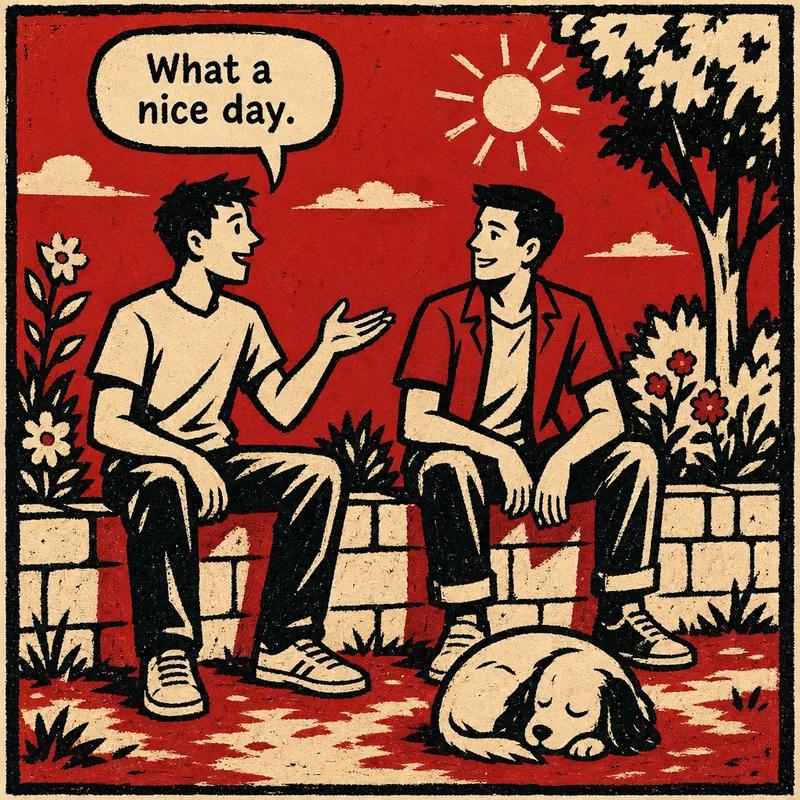
To make a comic in your own art style in ComicInk, open the Art style menu, click Custom style, describe the look in a sentence or upload a reference image, generate a sample panel, and save it. The saved style then appears at the top of the menu for every comic and poster you make.
Until now you chose from 12 built-in art styles. Custom styles add another option that is whatever you can describe: a printmaking look, a children's picture book, a sketchbook, or the house style of your brand.
One scene, three looks, one sentence each
The three images below show the same scene (two friends on a garden wall, a sleeping dog, a balloon reading "What a nice day.") drawn from nothing but the sentence under each one.
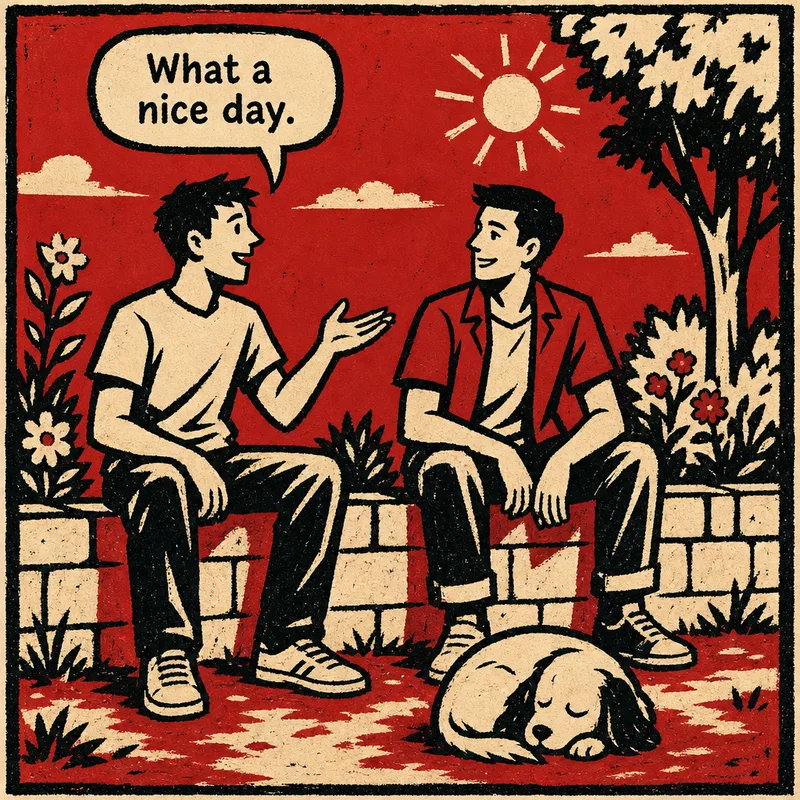
Linocut: "1950s linocut print — thick black ink, rough carved edges, two colours only: red and cream, heavy shadows"
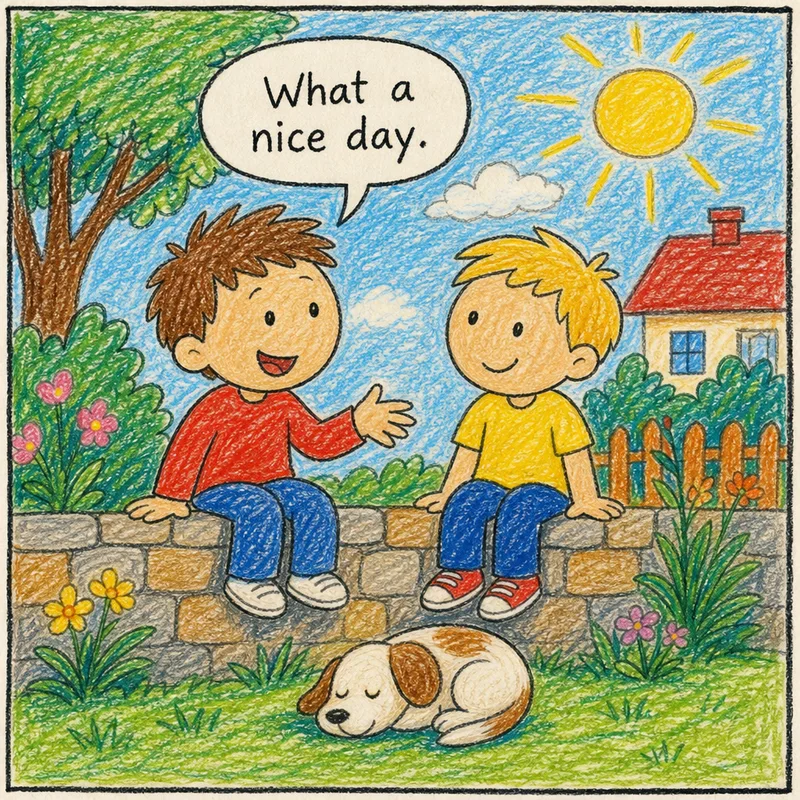
Crayon: "children's picture book drawn with wax crayons and coloured pencils — wobbly outlines, scribbly fills, visible paper grain, bright happy colours"
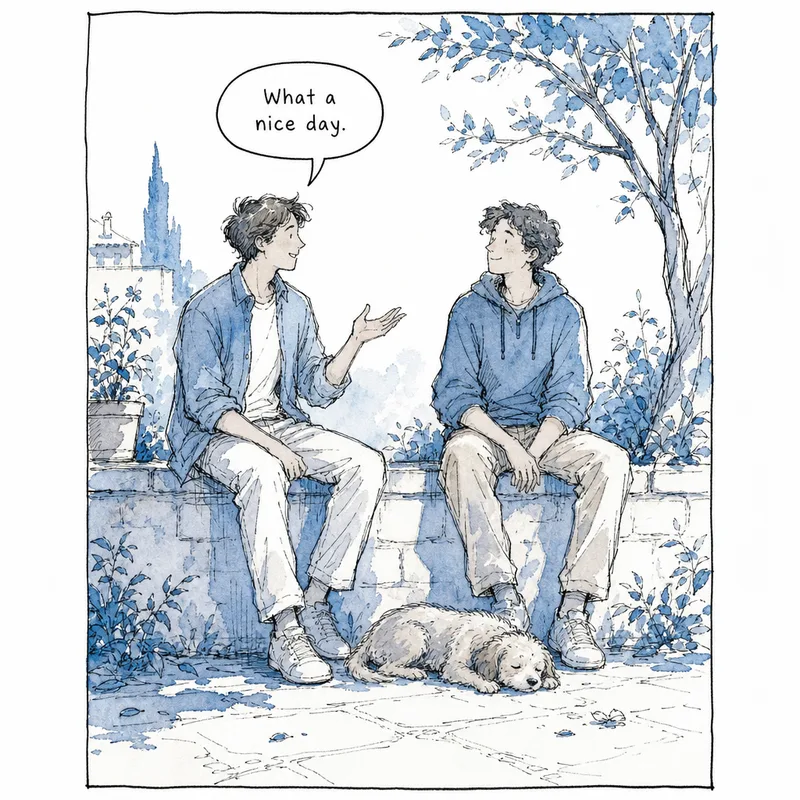
Ink wash: "sketchbook drawn with a fountain pen and blue watercolour wash — loose scratchy lines, lots of white paper, quiet and moody"
Who a custom style is for
- Artists who want a comic to match their own drawings. Upload a reference image and choose what to take from it.
- Brands and teams that need a consistent house look across a series and its posters.
- Teachers and parents who want a story to look like the picture books or crayon drawings their class or child already loves.
How to make a custom art style
- Open the Art style menu. It appears in New Comic, in Edit Series under Art Style, when you remix a comic, and when you make a poster.
- Click "Custom style" at the top of the menu.
- Describe the look in 10 to 500 characters, and/or upload a reference image (PNG, JPG or WEBP, up to 10 MB). With an image, choose what to take from it: line work, colours, shading or texture.
- Click "Generate preview." ComicInk draws one sample comic panel for 10 credits, charged only when it finishes.
- Not right? Click "Try again." You can make up to 4 samples.
- Name the style and click "Save & use style."
Saved styles live under Your styles at the top of the menu, for every comic and poster. Use the pencil (✎) icon to rename or delete one. Editing a style affects new images only; pages you have already made stay as they are.
How to write a good style description
Specific words beat a name alone. Describe what the eye actually sees:
- Figure drawing: head size, eye shape, how realistic or simplified the bodies are.
- Line: thick or thin, clean or scratchy, rough carved edges, wobbly outlines.
- Colour: a full palette, or a limit such as two colours only.
- Shading and texture: flat fills, heavy shadows, watercolour wash, visible paper grain.
You can also name an artist or a comic you love. ComicInk turns the name into a plain description of the look (figure drawing, line, colour), and the name itself is never sent to the image model. The result is inspired by the look, not a copy of anyone's characters or art. Adding your own words about line, colour and shading still gets you closer than the name alone.
Sexual, pin-up or nude looks are refused, and you are not charged for a refused preview.
What to know before you start
- Custom styles are available to signed-in users on the web. They are not in the iPhone app yet.
- They are for comics and posters. Story Videos use their own video styles, so pick one of those instead.
- A preview costs 10 credits, and only when the sample finishes.
- Readers of a published comic see the style listed as "Custom style." Only you, the creator, see the name you gave it.
FAQ
Can I use my own drawings as the style?
Yes. Upload a reference image (PNG, JPG or WEBP, up to 10 MB) and choose whether to take the line work, colours, shading or texture from it. You can add a written description too.
How much does it cost?
A preview sample costs 10 credits and is charged only when it finishes. Use "Try again" for up to 4 samples before you save.
Can I change a style after I save it?
You can rename or delete it with the pencil icon under Your styles. Editing affects new images only, so existing pages keep their look.
Can I name an artist or comic in my description?
Yes. ComicInk converts the name into a plain description of the look, and the name is never sent to the image model. The result is inspired by the look rather than a copy of any characters or art.
Does it work for Story Videos?
No. Story Videos use video styles, so choose one of those instead.
Ready to try it? Start a comic and open the Art style menu to make your first custom style.
Make it with ComicInk
ComicInk is an AI comic generator that turns a written story into a finished multi-page comic, with the same characters drawn on every page, in 12 built-in art styles (or your own) and 22 languages. New accounts get 100 free credits with no credit card, and no drawing skills are needed.
Start your comicMore from the blog
How to Make a Comic Book with AI, Step by Step
Make a comic book with AI from a one-line idea: AI writes the script, you edit it free, then it draws every page with the same characters. No card needed.
AI Manga vs. AI Comics: What's the Difference?
Understand the key differences between manga and Western comics — art style, storytelling, layout — and how AI handles each format.
How to Use Comics in the Classroom (With a Ready-to-Teach Lesson Plan)
How teachers use AI comics for science, history, vocabulary and SEL — plus a 45-minute comic lesson plan, reading levels and a free printable worksheet.