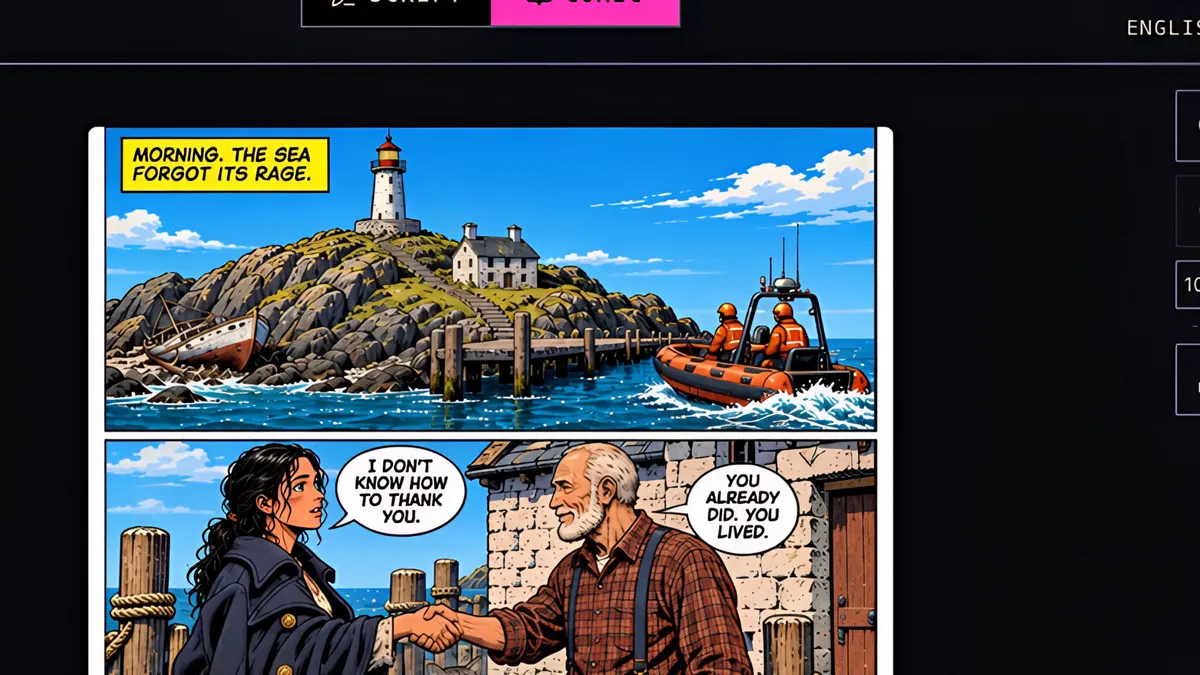
What you’ll learn
Open the Page tab and click Fix Errors, drag a circle around the problem and type what is wrong and what it should be. The AI gets the clean page, your note and all your character references, and fixes only that area. In this lesson a dog that should have been the cat is fixed in one go.
Step by step
- 1
Look at page four. Pip, the grey tabby cat, should be leaping into the boat. Instead, there's a dachshund.
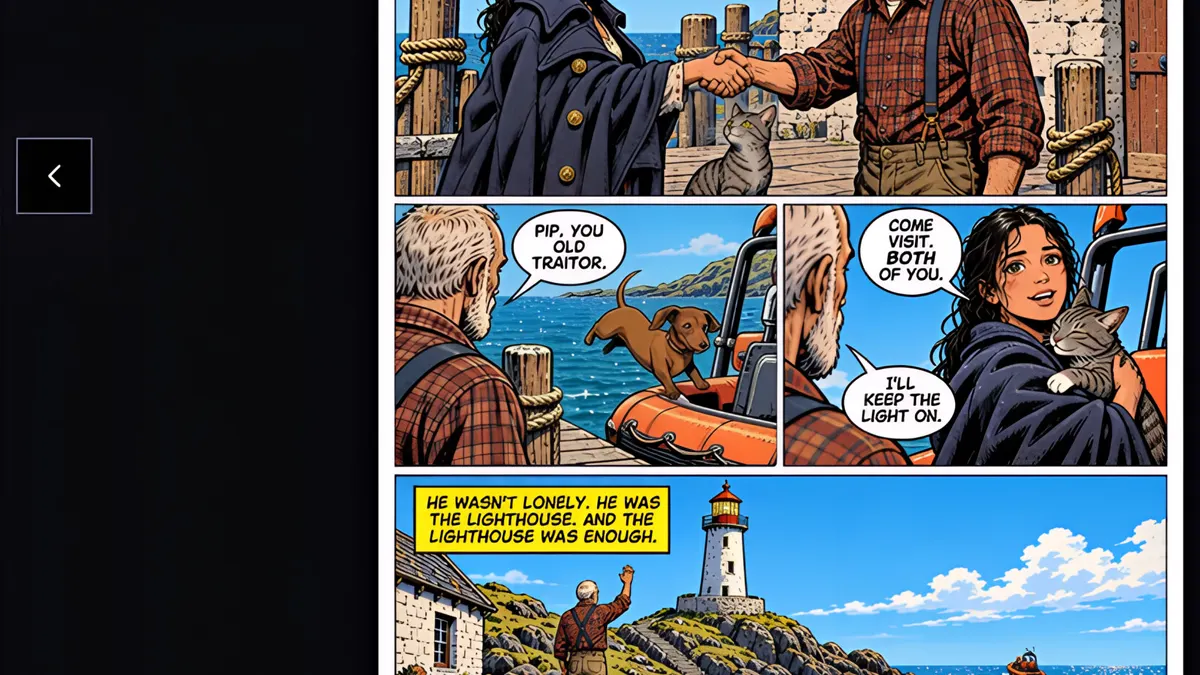
- 2
Open the Page tab, and click Fix Errors.
- 3
Drag a circle around the problem, and type what's wrong, and what it should be.
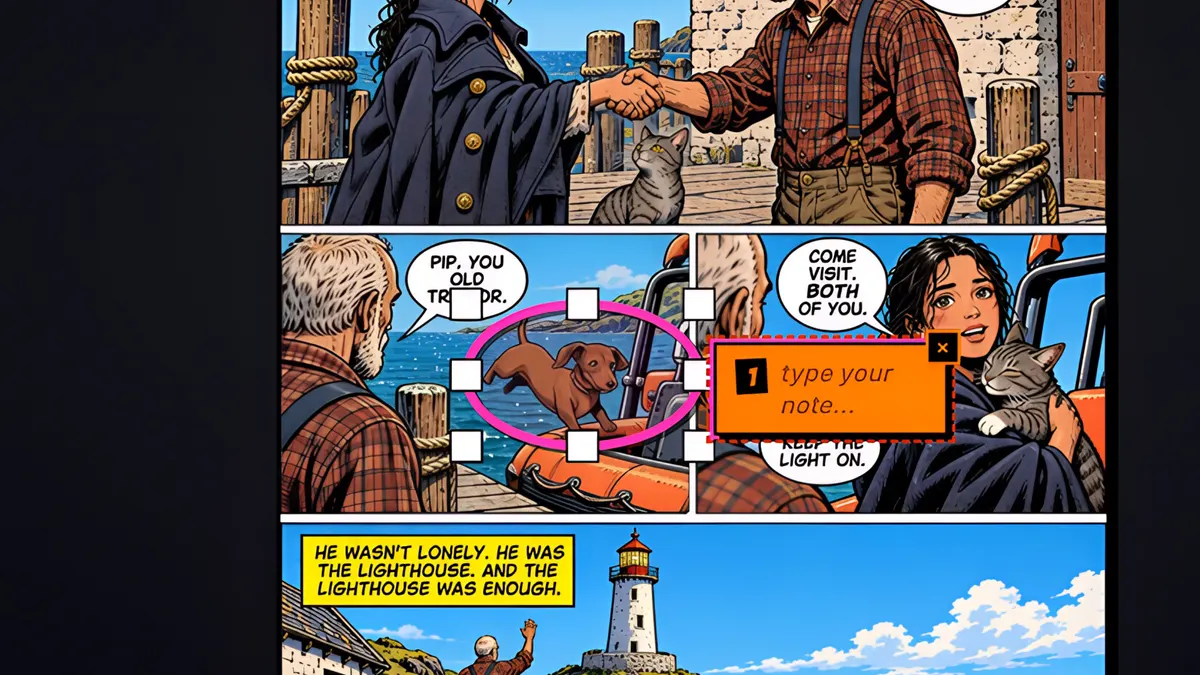
- 4
Send it for fixing. Fixes are free.
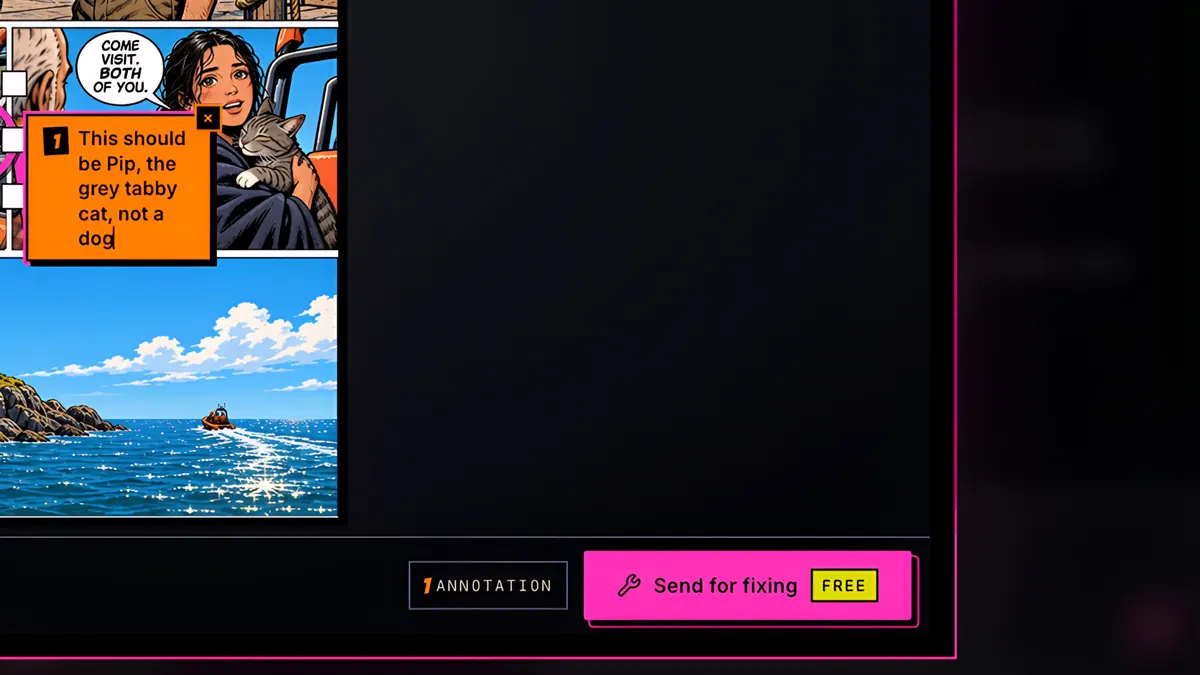
- 5
The AI gets the clean page, your circle and note, and all of your character references, so Pip looks exactly like Pip.
- 6
Before, and after. The dog is gone, Pip is back mid-leap, and the rest of the page keeps its art and dialogue. Circle as many problems as you like in one go.