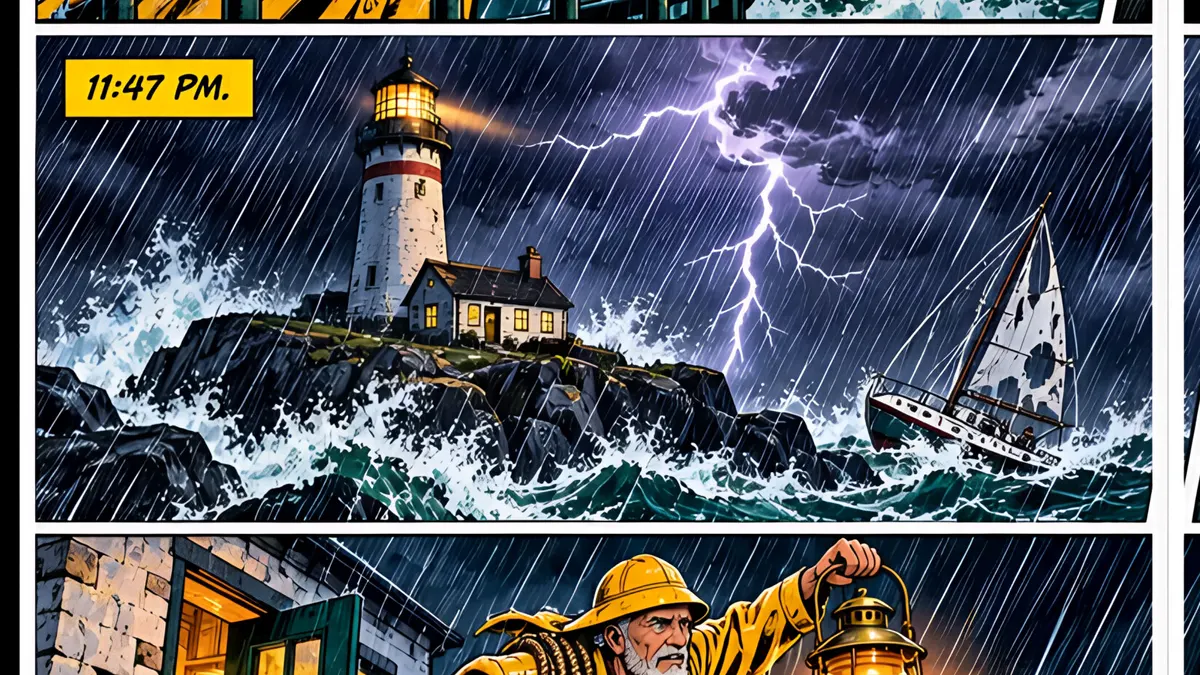
What you’ll learn
Open the Locations rail, open a location and click Add Variant. Name it and describe how this version differs, such as night or a storm, then generate it. Each location can have up to three variants, and you pick the variant per panel from the location chip in the script.
Step by step
- 1
Open the Locations rail. Each place has its own reference image.
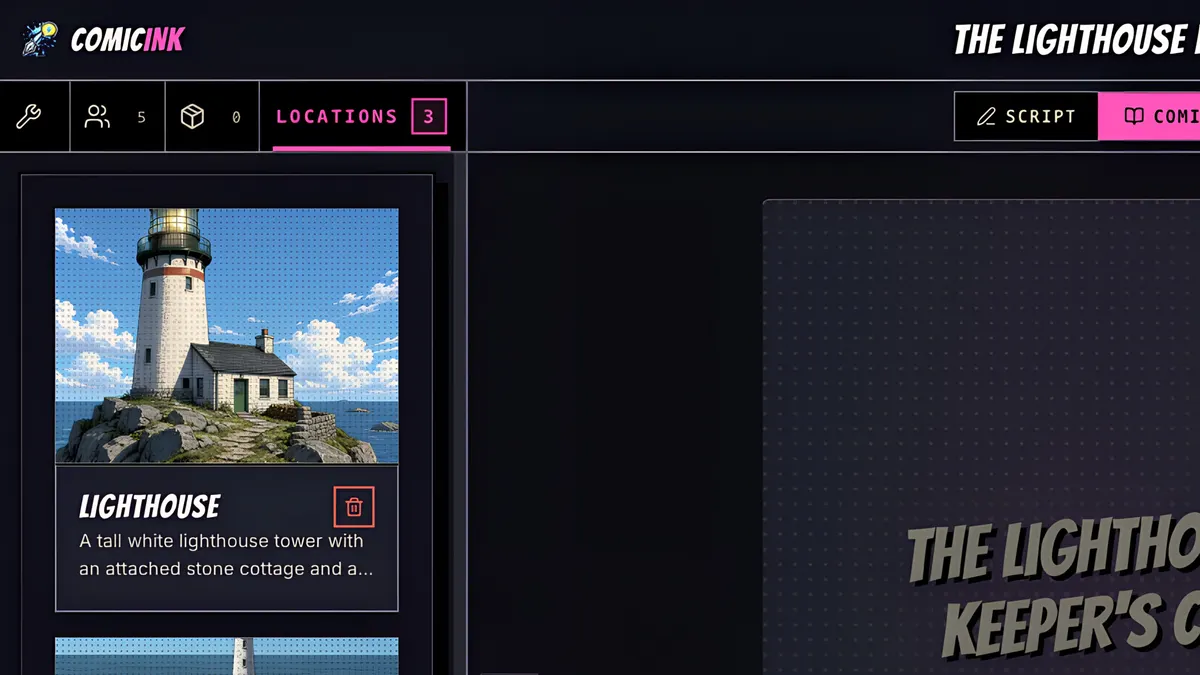
- 2
Open one. Here's the lighthouse on a sunny morning.
- 3
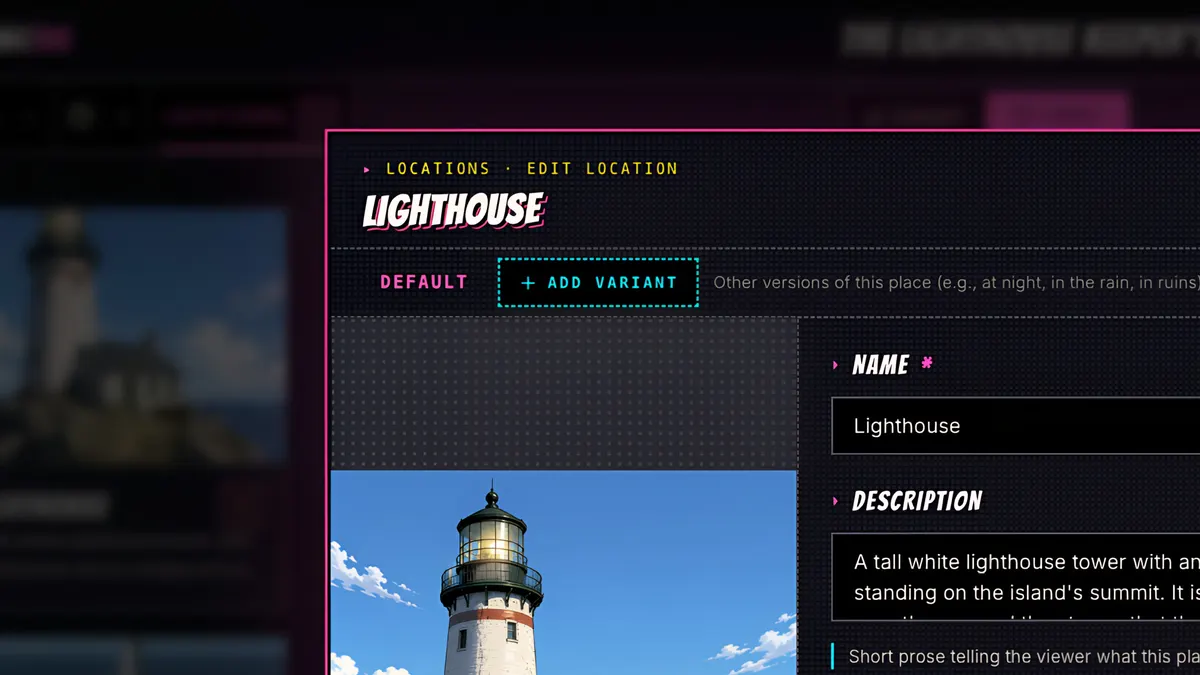
Click Add Variant, name it, and describe how this version is different: night, a storm, rain, a new season.
- 4
Save and Generate.
- 5
Same lighthouse, same island, now at night in a storm, with the beam sweeping the sea.
- 6
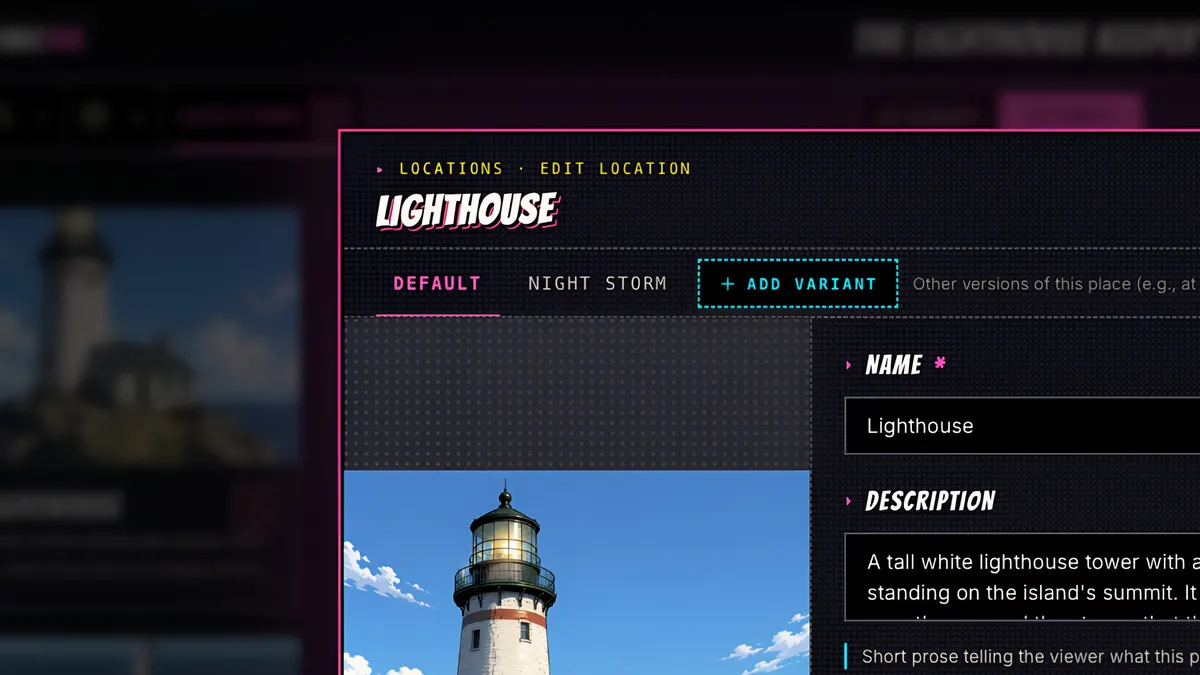
Each location can have up to three variants.
- 7
Then, in the script, click the location chip on any panel, and pick the variant for that scene.
- 8
The storm panels are drawn from the night version.